What a complete sale record contains
The most useful record links the expected load with what the yard actually bought. Save the yard, transaction date, estimated total, actual payout, final material grades and weights, receipt or ticket, and a short explanation for anything unusual.
Material and load photos can provide context when a label alone is not enough. Notes can capture preparation, moisture, attachments, rejected pieces, a minimum-weight rule, or a price that changed after the original call.
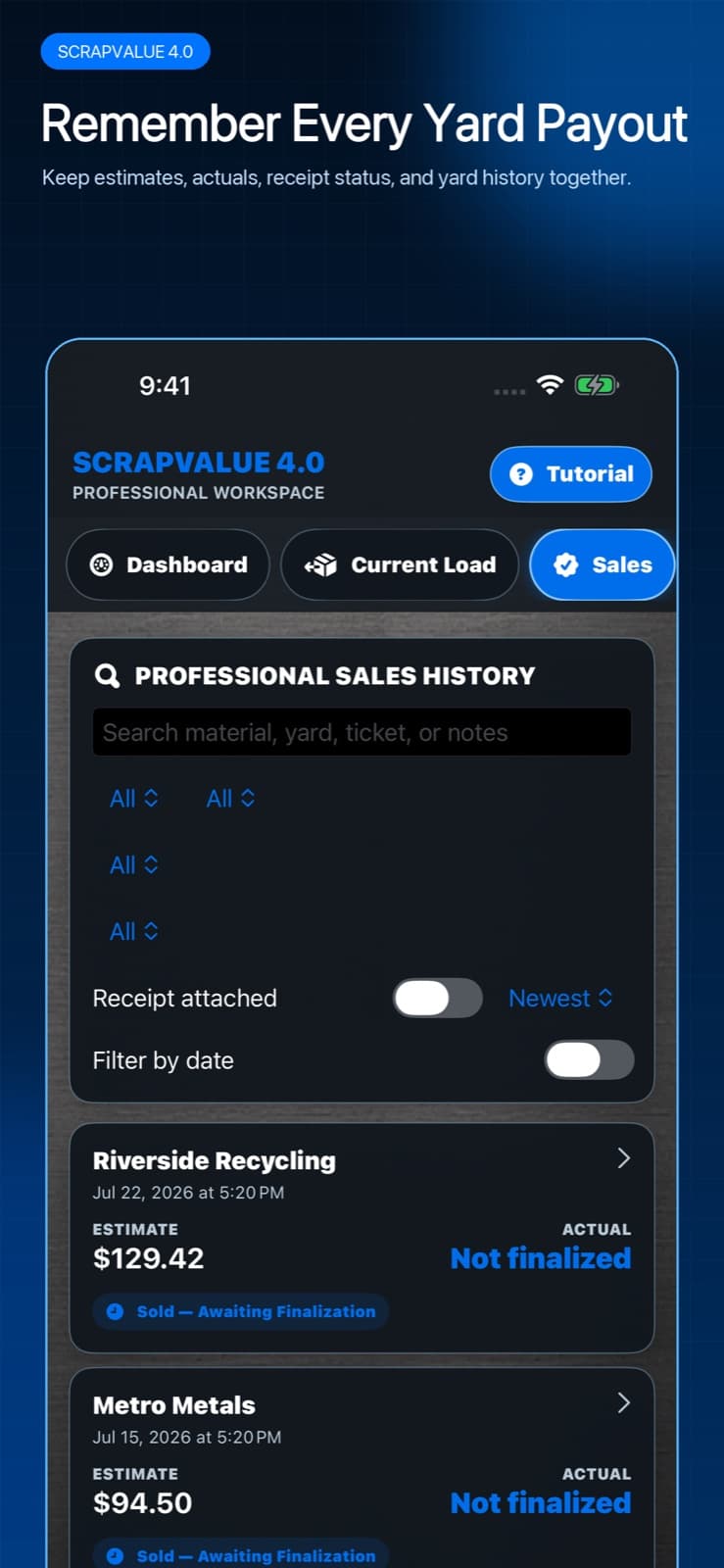
Measure the gap without hiding it
Keep the frozen estimate and enter the actual payout separately. The difference is not automatically a problem: your scale may differ from the certified yard scale, the buyer may apply a different grade, the quote may have expired, or the load may have changed after the estimate.
Write the reason when you know it. After enough trips, the pattern is more useful than any single miss. Consistently high home weights suggest a scale or container-tare issue; repeated grade changes suggest the yard's definitions need to be reflected in your material names or preparation.
A five-minute review after each trip
This small routine produces cleaner history than trying to reconstruct several trips at the end of the month.
- Attach or scan the receipt before it gets lost or fades.
- Enter the actual payout and final weights exactly as printed.
- Compare the expected and actual totals and identify the largest difference.
- Add one plain-language note explaining the difference when possible.
- Update the saved yard quote only for future work; do not rewrite the completed sale.
Search for a decision, not just a receipt
Filter sales by yard, material, date, receipt status, ticket, or notes. Ask specific questions: Which yard has paid closest to quote on copper? How often was one grade reclassified? What did similar mixed loads pay in the same season? Which unfinished sales still need an actual payout or receipt?
ScrapValue Pro keeps unlimited load and receipt history so the record can grow with the work. Export important business, tax, or compliance records into the long-term system you use outside the app as well.