Turn a group of musicians into a band that is ready to play out.
BandBeam gives local bands a clear path from the first rehearsal to a bookable live set, with one place for songs, realistic set timing, venue leads, show details, and the tools that make gig day easier.
No account is required. Your band plans stay in the app on your iPhone unless you deliberately share a set sheet or booking draft.
Everything between the first song and the first show
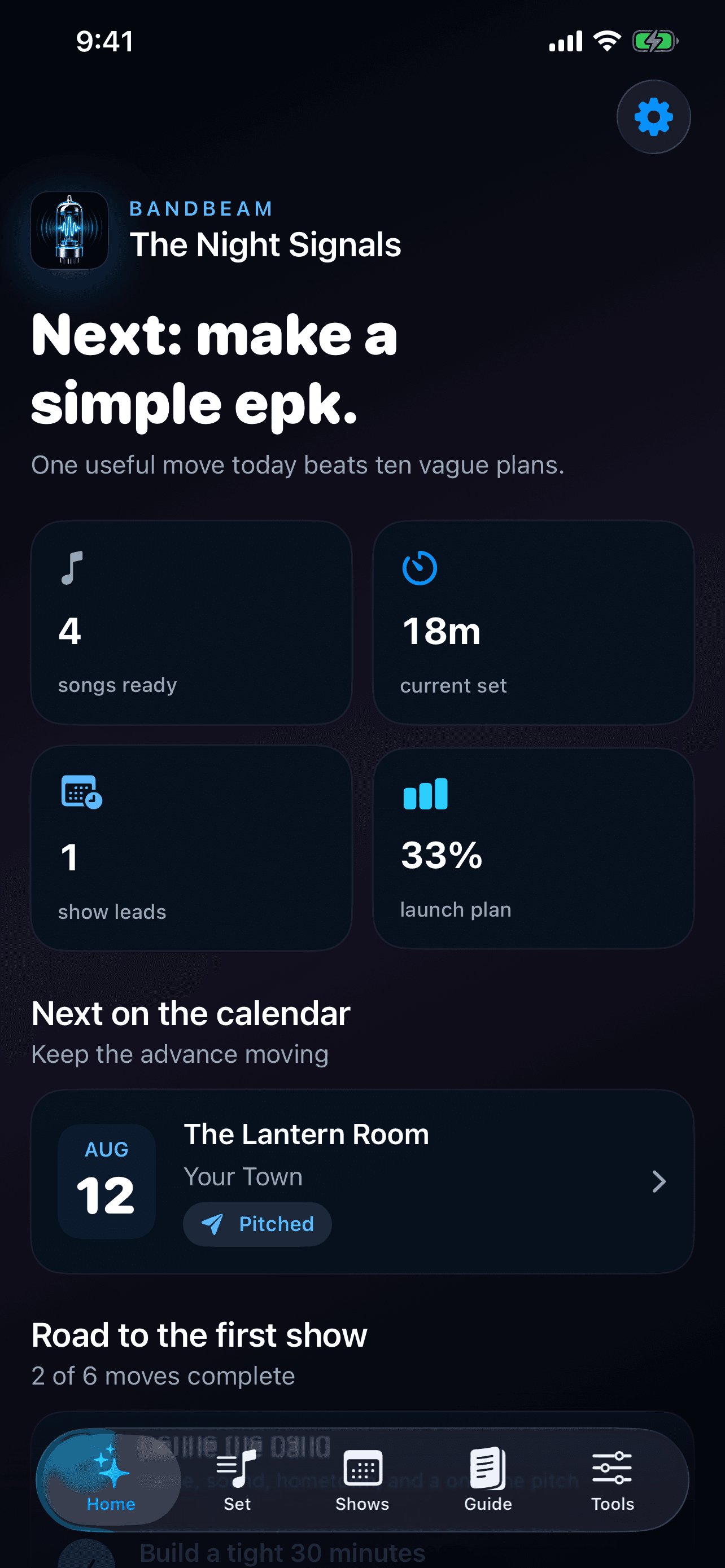
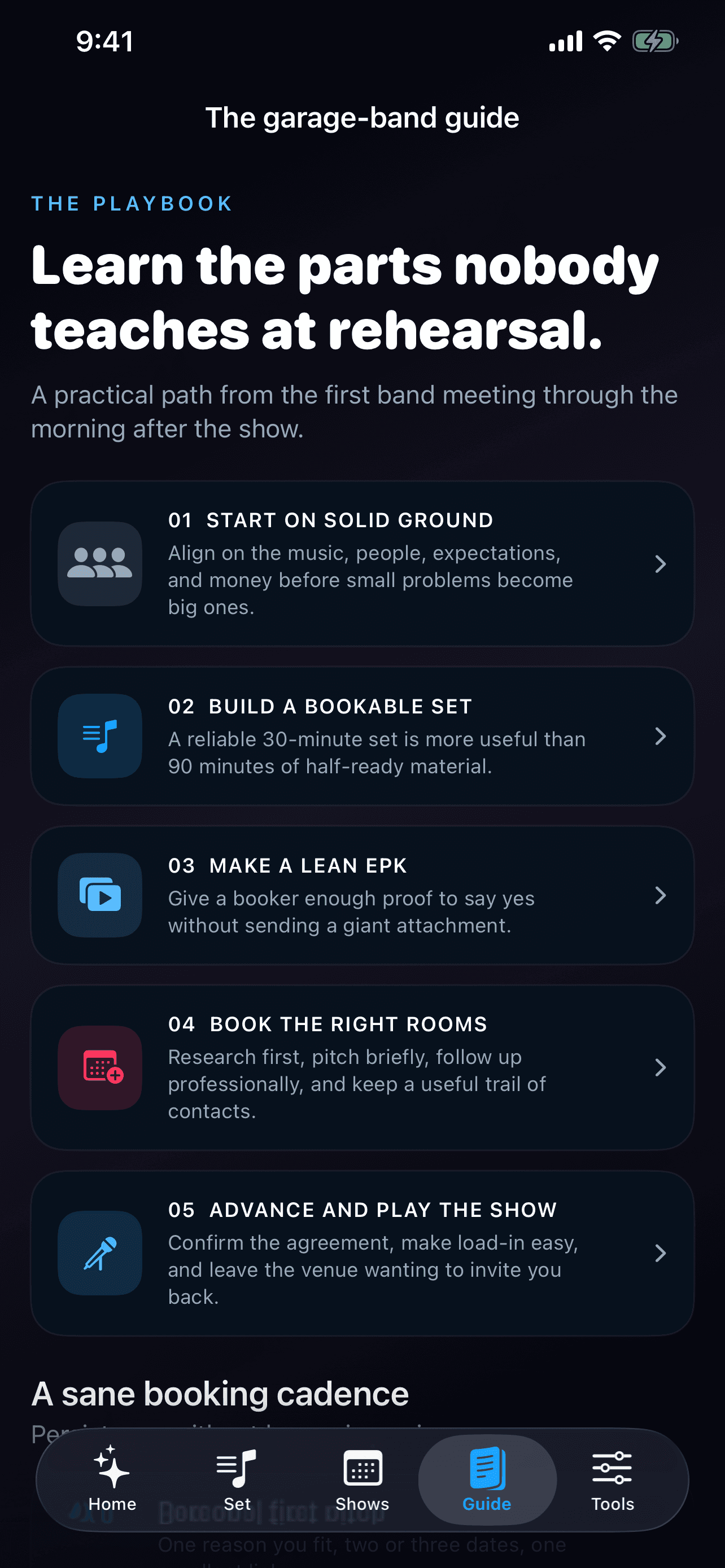
Start with a real roadmap
Work through the essentials of choosing members, defining the band, rehearsing a strong first set, building a simple presence, and approaching suitable venues.
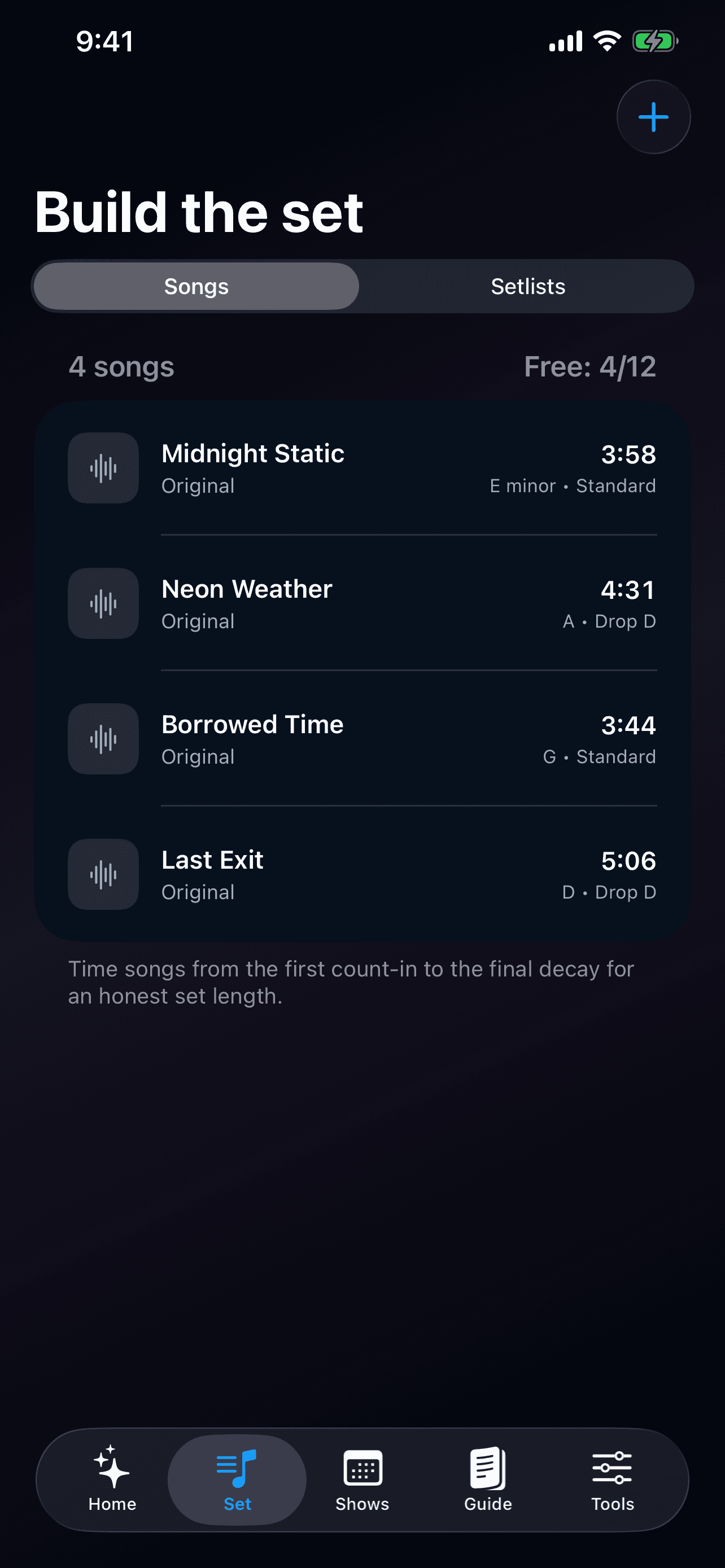
Build a useful song book
Keep title, artist, duration, key, tuning, original-or-cover status, and notes with every song.
Time the whole set
Arrange songs, set an average transition time, and compare the estimated music time, transitions, and total show length with the slot you promised the venue.
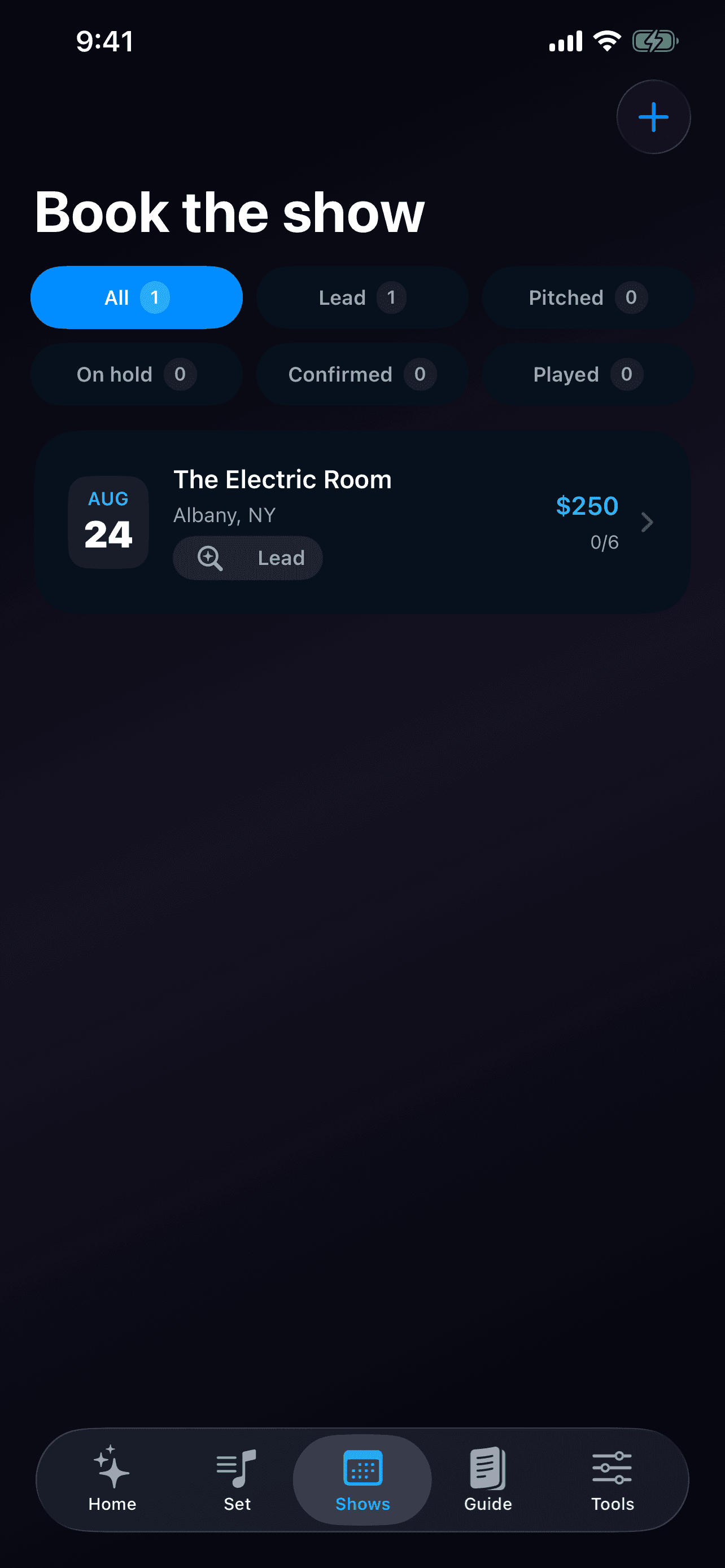
Move show leads forward
Track venue, city, date, status, booking contact, guarantee, assigned setlist, notes, and the show-day advance checklist in one record.
Send a better first message
Enter your band, booking contact, venue, available dates, fit reason, and live link to create a concise pitch draft that you can personalize before sending.
Arrive prepared and settle clearly
Use the packing checklist, shareable set sheet, and gig split calculator to keep show day organized from load-in through payout.
App Screenshots
See BandBeam in action
Keep the band focused
Build a reusable song library
See every booking stage clearly
Follow the first-show roadmap
Prepare for rehearsal and show day
BandBeam
Your band, focused.
Five-chapter getting-started guide
Songs with durations, keys, tunings, notes, and original-or-cover status
Setlists with music time, transitions, and total show length
Show leads with dates, guarantees, contacts, statuses, assigned setlists, notes, and checklists
Built for how local bands actually work
Core timing, getting-started guidance, packing, and payout tools stay useful without Premium.
Set estimates combine song durations with the average transition time between songs.
Local storage keeps the band’s working notes available without creating another account.
Generated band names and pitches are starting points that the band reviews and clears before use.
BandBeam Premium
Start the band free. Upgrade when the calendar gets busy.
The free tier supports up to 12 songs, 2 setlists, and 5 show leads. Optional auto-renewing Premium unlocks unlimited songs, setlists, and show leads plus the Band Name Lab, Booking Pitch Builder, and Shareable Set Sheet. U.S. pricing is $4.99 monthly or $39.99 annually; Apple’s purchase sheet displays the exact localized price, billing period, and renewal terms before purchase.
Free songs
Up to 12
Set timing
Songs + transitions
Band data
Stored locally
Get BandBeam
Download BandBeam and explore everything Goodale Studios builds.
BandBeam is a local-first show-planning workspace for local and garage bands, with songs, setlists, venue leads, booking pitches, show details, packing, and payouts in one focused app. It is available now through Apple App Store.
Core timing, getting-started guidance, packing, and payout tools stay useful without Premium.
2
Set estimates combine song durations with the average transition time between songs.
3
Local storage keeps the band’s working notes available without creating another account.
4
Generated band names and pitches are starting points that the band reviews and clears before use.
Frequently Asked Questions
Answers about BandBeam.
What should I include in a support request?
Include your iPhone model, iOS version, BandBeam version and build, the screen you were using, the steps immediately before the problem, and the exact message shown. Redact private venue, member, and deal information when possible.
Does BandBeam require an account?
No. BandBeam does not require a Goodale Studios account. The band profile and planning records stay in the app’s private storage on your iPhone unless you choose to share specific content.
How is a set’s duration calculated?
BandBeam adds the duration of every song plus your average transition time between songs. Compare that complete estimate with the venue slot, then leave a little room for talking, tuning, and the unexpected.
What can I track for a show?
A show moves through Lead, Pitched, On hold, Confirmed, and Played. Keep its venue, city, date and time, booking contact, guarantee, assigned setlist, notes, and show-day advance checklist together.
Can BandBeam contact venues for me?
No. The pitch builder creates an editable draft from information you provide. Your band reviews, personalizes, and sends it through the communication method you choose.
What is included for free?
Free users can keep up to 12 songs, 2 setlists, and 5 show leads. Set timing, the getting-started guide, packing list, and gig split calculator remain available without Premium.