
TrainerLoop
Clear training plans for every dog.
- Per-dog profiles and progress
- Guided lesson checklists and timers
- Trainer client and session records
- Editable homework plans
For Dog Owners & Trainers
TrainerLoop combines guided reward-based lessons for owners with a professional workspace for trainers, clients, dogs, session recaps, and shareable homework.

Check the official store listing for current download and in-app purchase terms. Availability can vary by device and region.
Choose Personal or Business during setup, then switch workspaces without deleting your records. No account is required, and your app records stay on your device.
Need help? Visit supportWork through 15 structured lessons with steps, checklists, short timers, success criteria, troubleshooting, and safety guidance.
Add each dog’s photo, goals, and safety notes, then save lesson progress and practice rounds separately.
Organize clients, dogs, contact details, goals, handling notes, sessions, drafts, and completed follow-ups.
Speak or type a recap, edit every plan field, preview the owner-facing result, and keep raw transcripts and private notes out of exports.
Share accessible text or a branded PDF through Apple’s share sheet. The recipient does not need an account or the app.
TrainerLoop has no developer account system, advertising, tracking, analytics SDK, or Goodale Studios app-data server.
App Screenshots
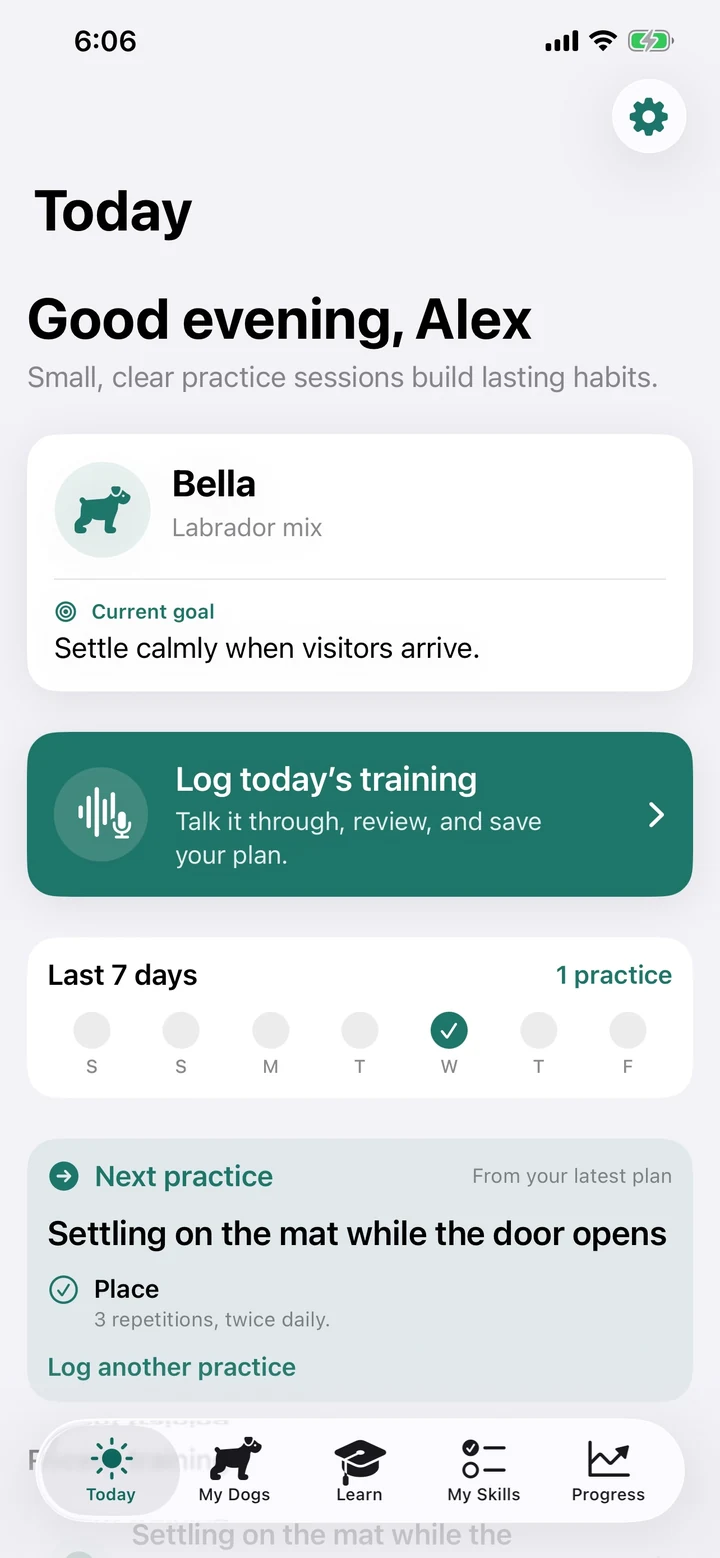
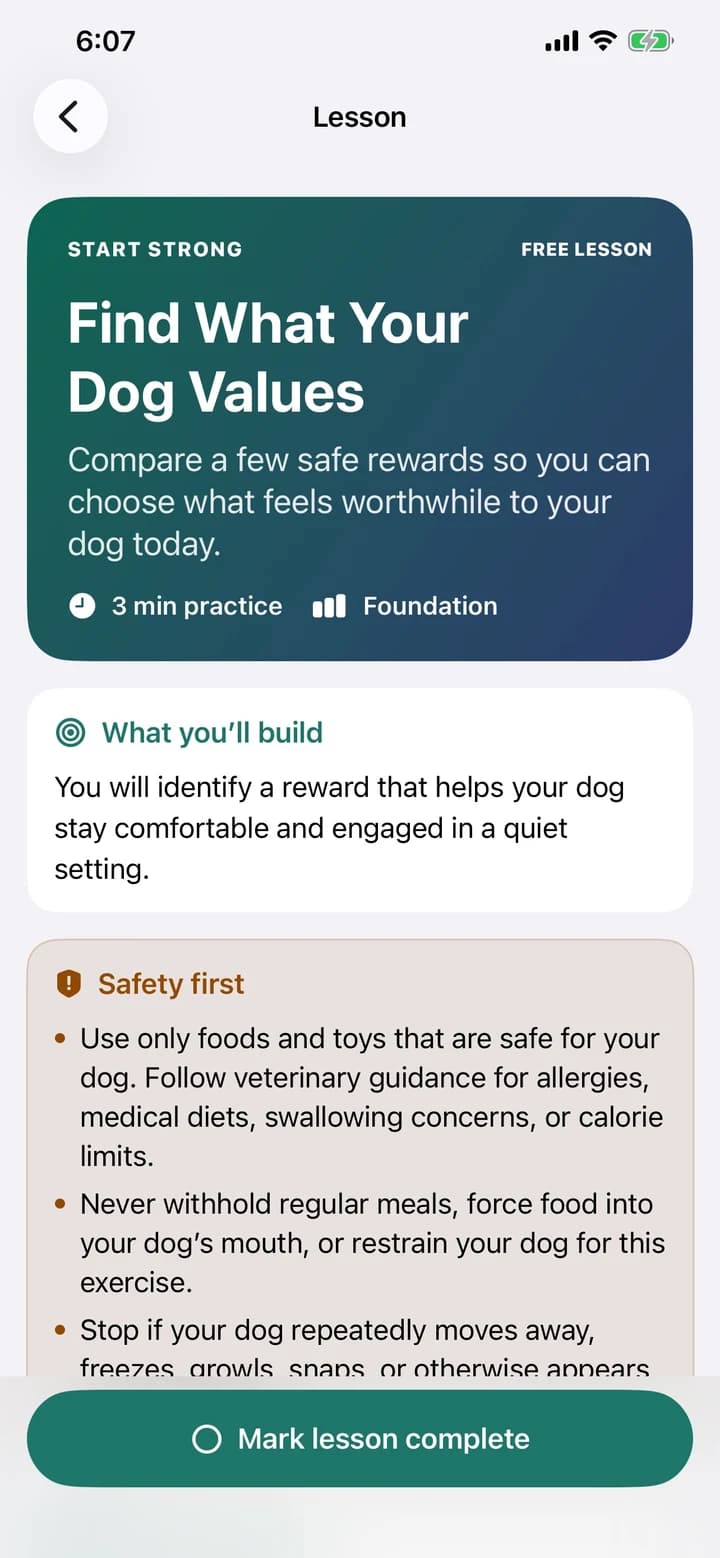
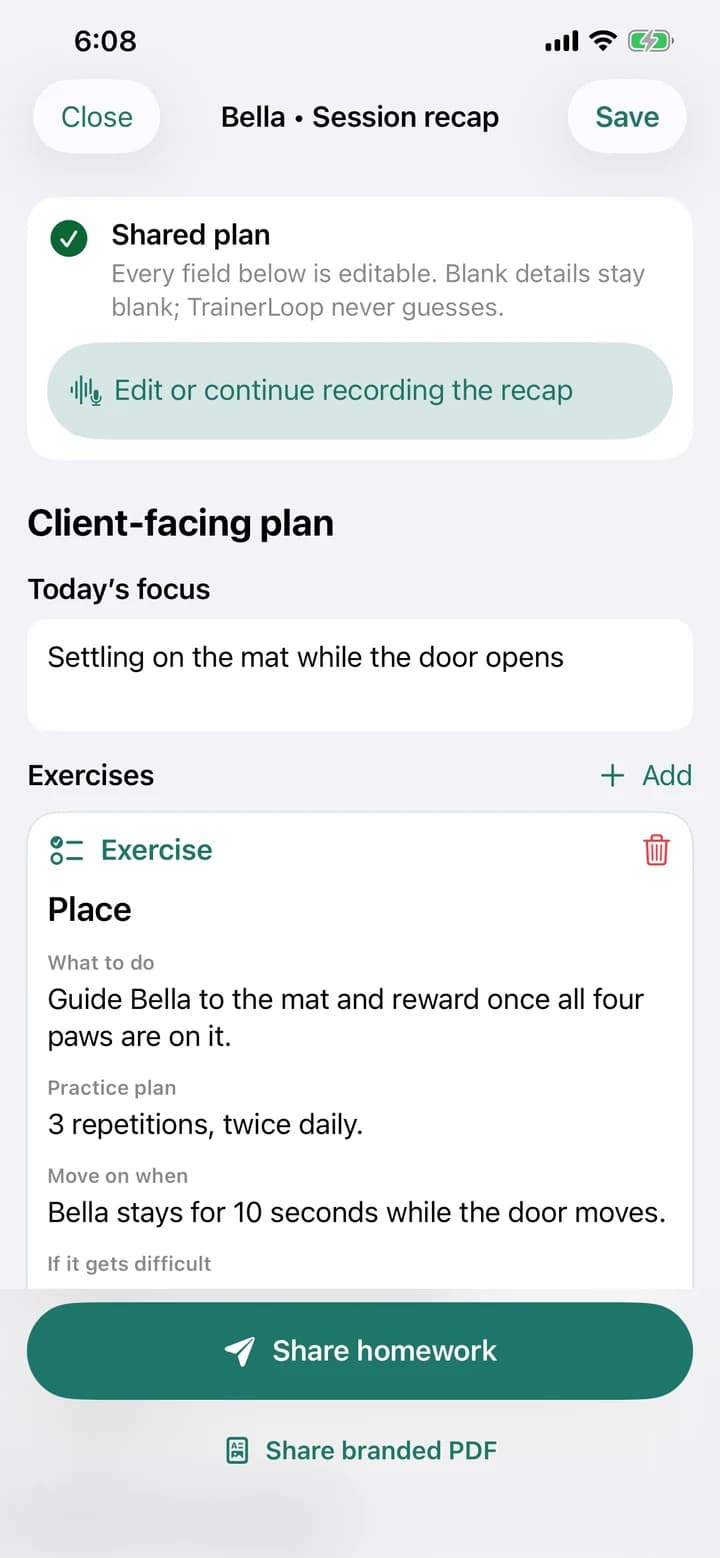
Clear training plans for every dog.
Designed for real training days
TrainerLoop Pro
Three complete Academy lessons and up to three completed plans are included. Optional monthly or annual Pro unlocks all 15 lessons and unlimited completed plans.
Academy
15 guided lessons
Workspaces
Personal + Business
Privacy
Local-first, no tracking
Download TrainerLoop and explore everything Goodale Studios builds.
Guides & tutorials
Explore the complete product tour, a guided first journey, practical advice, and the story behind why this app was built.
Official Product Facts
Guided reward-based lessons for dog owners, plus polished session plans and client homework for professional trainers. It is available now through Apple App Store.
How It Works
Owners always know the next small step to practice.
Trainers keep full control of client-facing wording.
Optional speech capture runs on device, and typing is always available.
Existing records, drafts, and history remain accessible without Pro.
Frequently Asked Questions
TrainerLoop is available now on the App Store for iPhone and iPad. Use the Download on the App Store button on the TrainerLoop page to open the official listing.
Include your device model, iOS version, TrainerLoop version and build, the screen you were using, the steps immediately before the problem, and the exact error message. Do not send private client records, full transcripts, or dog photos unless necessary; redact identifying details when possible.
No. TrainerLoop has no account or login. Profiles, records, photos, plans, and lesson progress are stored locally on your device.
Open Settings from Today and choose Switch to Personal or Switch to Business in the Workspace section. Switching changes the layout and visible records; it does not delete records from the other workspace.
Open the dog, choose Edit, and tap the photo area. Select a picture with Apple’s photo picker. TrainerLoop makes a smaller local JPEG copy and removes the source metadata. If an image is unsupported, try a standard JPEG, PNG, or HEIC image and include the original file type and iOS version in a support email if the problem continues.
No. Every recap can be typed or pasted. TrainerLoop requests microphone and speech-recognition access only after you tap Record. Speech recognition runs on device, audio is not saved, and the resulting transcript is stored locally.
Need something else? Visit TrainerLoop Support.
Related Knowledge