Before you open the calculator
Sort the material as far as you can identify it safely. Keep different grades separate when a yard is likely to buy them differently. Weigh each group, and subtract the empty container weight if you are using bins or buckets.
If you already called a yard, write down the exact grade name, price unit, quote time, preparation requirements, and how long the quote is valid. A quote for prepared steel cannot automatically be applied to unprepared material, and a price per kilogram cannot be entered as though it were per pound.
Build the load
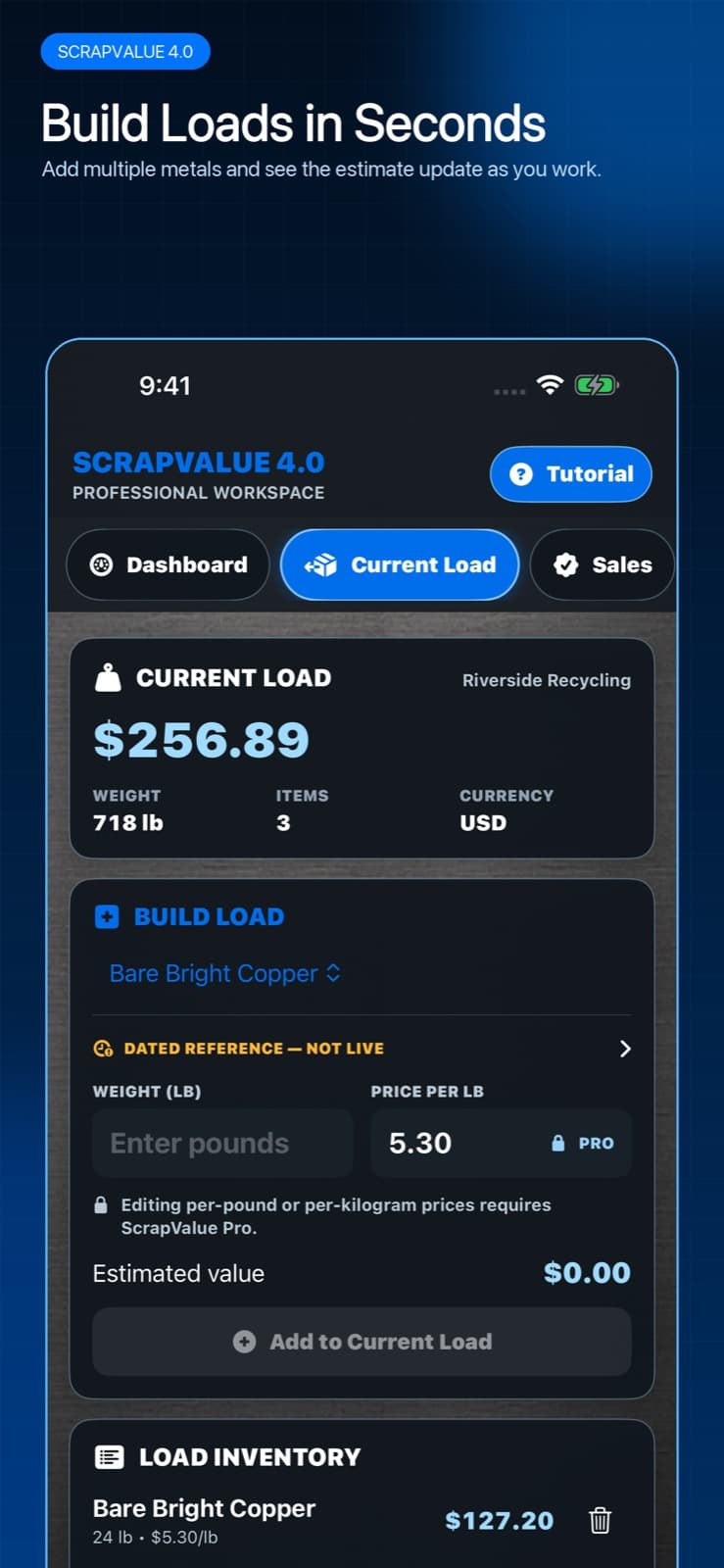
Open Current Load and work through the inventory one grade at a time.
- Confirm Settings uses the currency and weight unit you want for this load.
- Choose the first material grade from the built-in catalog or a Pro custom material.
- Enter the measured weight. Keep decimals only when your scale supports that precision.
- Review the rate. Free users use the displayed reference; Pro users can enter a current per-pound or per-kilogram yard quote.
- Add the line to Current Load and repeat for each distinct grade.
- Review total weight, line count, currency, and estimated value before saving.
- Name the load or sale in a way you will recognize later, then add the yard, notes, and photos that explain the estimate.
Why saved prices stay frozen
A saved load should describe what you believed when you made the decision. ScrapValue keeps the rate used for that estimate with the record. Refreshing reference data or changing a yard's current quote later should not silently rewrite an older expected payout.
When you sell, enter the actual amount separately. That creates a clean estimated-versus-actual comparison instead of replacing the original estimate with hindsight.
Four mistakes that make an estimate less useful
The calculator is only as reliable as the inputs. Check these before treating the total as a trip-planning number.
- Combining different grades under the highest-paying material name.
- Forgetting to subtract a container, pallet, moisture, or known non-metal weight.
- Mixing pounds and kilograms or using a price quoted per ton as a price per pound.
- Treating an old reference or broad market index as a live local yard offer.
At the yard: preserve the comparison
After weighing, review the scale ticket and save the final grades, weights, deductions, and payout. If the result differs, add a short note while the explanation is fresh. Over several sales, these details show whether the biggest gap comes from your home scale, grade assumptions, yard deductions, or changing prices.