Skip to content

Professional HVAC Field Engineering for iPhone

Coming Soon

From the mechanical room to the finished report—without losing the work between.

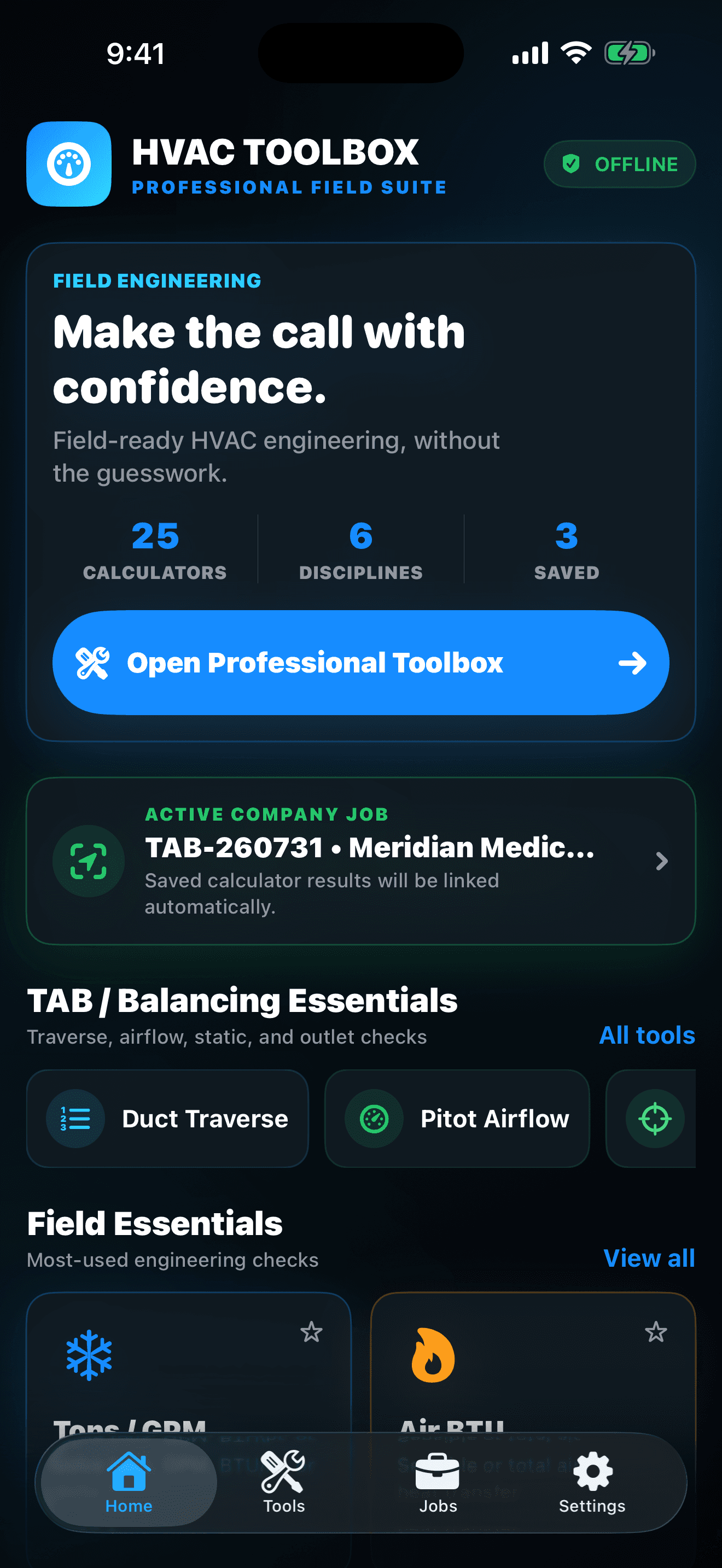
HVAC Toolbox Pro is built for the moment a reading has to become a decision, a job record, and defensible professional evidence. Run the calculation, save it to the active customer and system, complete the quality checks, and export the handoff.

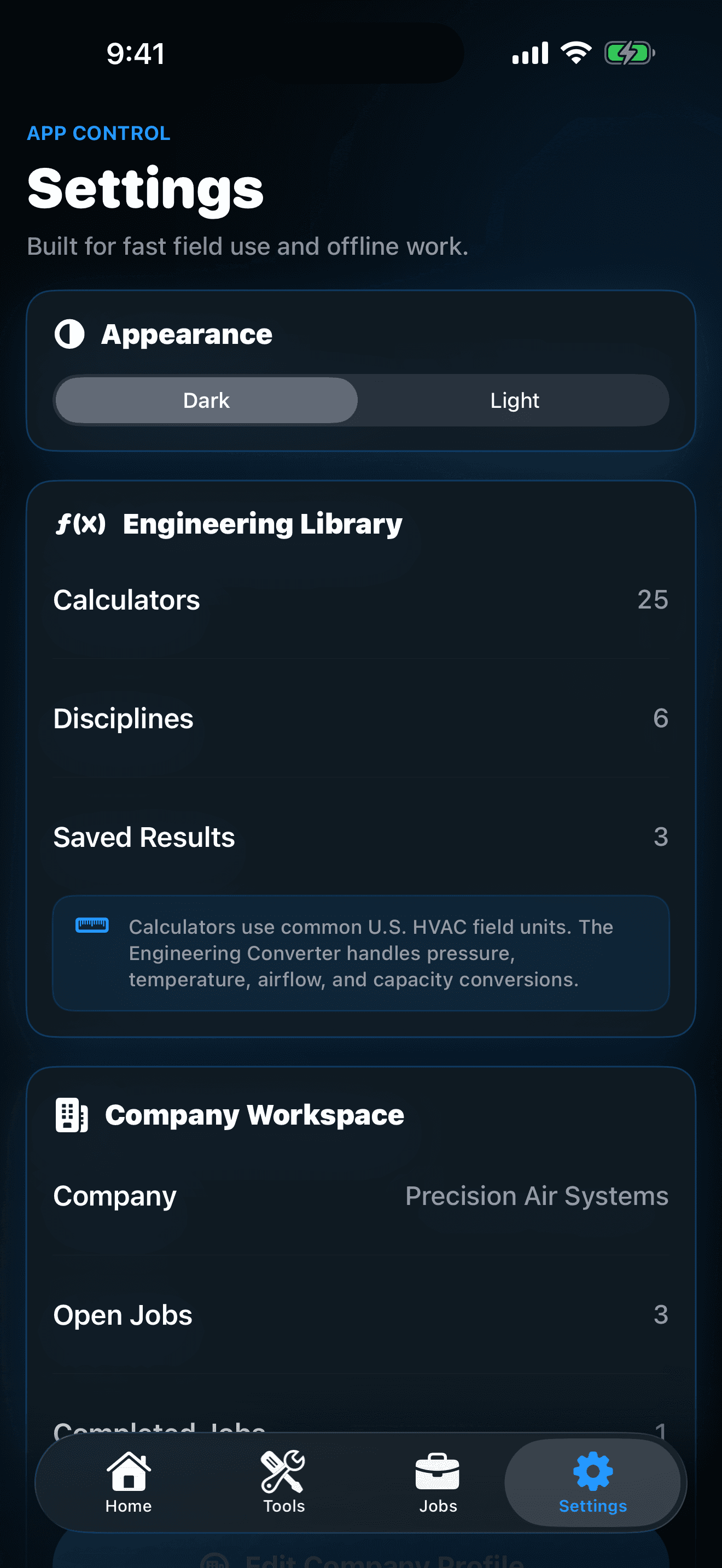
Core calculators, jobs, notes, history, and reports work offline. No account, advertising, or third-party tracking SDK is required.

Coming Soon on the App Store
Release updates and support
HVAC Toolbox Pro icon with blue, orange, and brushed-steel fan blades around a hexagonal hub

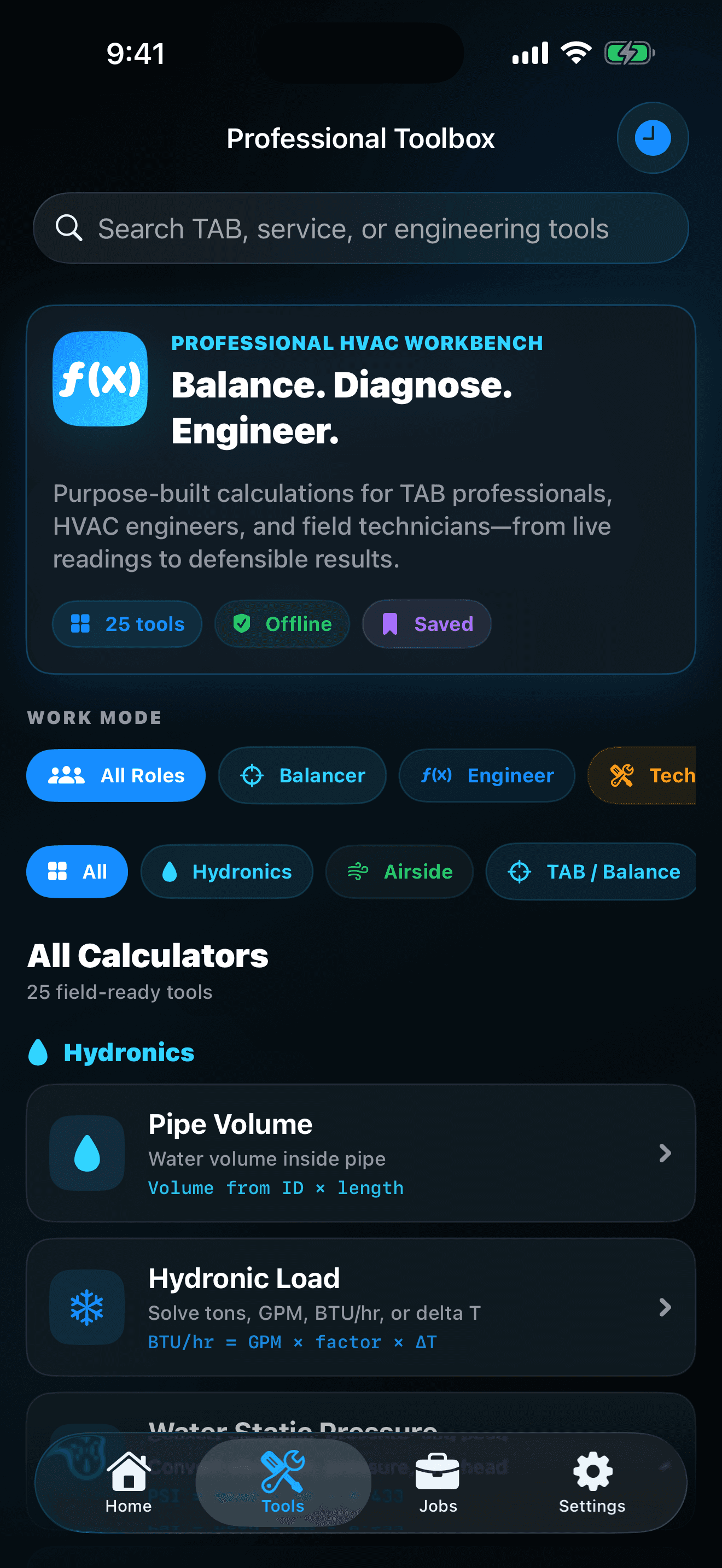
25 serious field tools inside one company-ready workflow

  • Balance air with context

    Average duct traverses, calculate pitot airflow, compare outlets with design, profile total external static pressure, check ACH, use K-factors, and preserve the readings with the job.

  • Solve hydronics in either direction

    Work from tons, GPM, BTU/hr, or delta-T, then handle water head, static pressure, pump TDH, pipe velocity, pipe volume, valve Cv, and hydraulic power from the same focused tool library.

  • Cover the service essentials

    Use airside loads, airflow and duct area, fan laws, belt-drive speed, electrical power, superheat and subcooling math, capacitor tolerance, efficiency, gas input, and engineering unit conversions.

  • Keep every result with the job

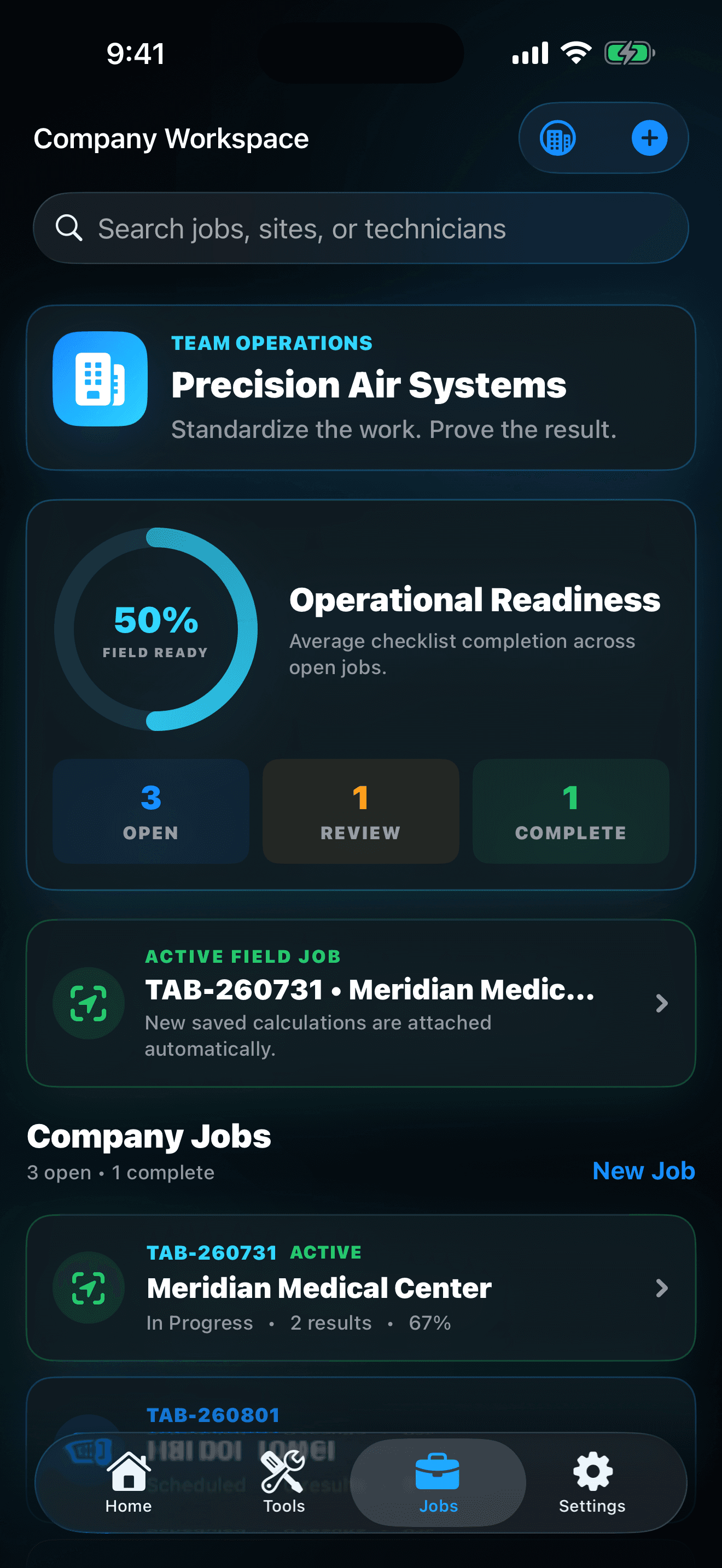
    Choose an active company job before calculating. Saved results automatically retain the customer, site, system, technician, scope, and field context that make the number useful later.

  • See what is ready—and what is not

    Job status, standardized quality checks, and a field-readiness KPI make open work understandable without replacing the technician's judgment or the project requirements.

  • Hand off professional evidence

    Generate a branded PDF for customers, supervisors, commissioning agents, or the project file, or export CSV when readings need to move into a spreadsheet or company archive.

App Screenshots

See HVAC Toolbox Pro in action

HVAC Toolbox Pro icon with blue, orange, and brushed-steel fan blades around a hexagonal hub

HVAC Toolbox Pro

Measure smarter. Balance faster. Prove the work.

  • Duct traverse, pitot airflow, outlet balance, TESP, ACH, and K-factor tools
  • Hydronic tons, GPM, delta-T, head, TDH, pipe, Cv, and pump calculations
  • Airside load, fan law, electrical, refrigeration, efficiency, and service checks
  • Company, customer, site, system, technician, scope, status, and field-note records

Built for the rooftop. Ready for the report.

  • Filter the workbench for Technician, Balancer, or Engineer workflows.
  • Favorite frequently used tools and keep local calculation history and field notes.
  • Create company jobs with customers, sites, systems, technicians, scope, status, and checklists.
  • Work without a network connection and export only when you choose a destination.
  • Verify every result against project documents, manufacturer data, instruments, codes, standards, and qualified professional judgment.

Professional field suite

One purchase. No subscription. No account required.

HVAC Toolbox Pro is planned as a paid App Store download rather than a recurring subscription. Apple will show the final localized purchase price, compatibility, and terms when the public listing becomes available.

Field calculators

25

Disciplines

6

Offline core

Yes

HVAC Toolbox Pro is coming soon

HVAC Toolbox Pro is preparing for App Store release. The download link will appear here as soon as Apple makes it available.

Coming Soon on the App Store
Visit support

Guides & tutorials

Learn HVAC Toolbox Pro from the first step to the best practices.

Explore the complete product tour, a guided first journey, practical advice, and the story behind why this app was built.

Open the HVAC Toolbox Pro Learning Center

Official Product Facts

What is HVAC Toolbox Pro?

Run 25 HVAC and TAB calculations, keep results attached to the correct job, track field readiness, and export professional PDF or CSV reports—even when the jobsite is offline. It is currently in development, so features, compatibility, and release timing may change before publication.

Status
Coming Soon
Category
Business
Publisher
Goodale Studios
Official support
HVAC Toolbox Pro Support

How It Works

A focused path through HVAC Toolbox Pro.

  1. 1

    Filter the workbench for Technician, Balancer, or Engineer workflows.

  2. 2

    Favorite frequently used tools and keep local calculation history and field notes.

  3. 3

    Create company jobs with customers, sites, systems, technicians, scope, status, and checklists.

  4. 4

    Work without a network connection and export only when you choose a destination.

  5. 5

    Verify every result against project documents, manufacturer data, instruments, codes, standards, and qualified professional judgment.

Frequently Asked Questions

Answers about HVAC Toolbox Pro.

What should I include in a support request?

Include your iPhone model, iOS version, app version and build, the calculator or job screen you were using, the inputs you entered, the expected result, the result shown, and the steps immediately before the issue. Remove customer and site information whenever it is not required to reproduce the problem.

Does HVAC Toolbox Pro require an account or internet connection?

No. Core calculators, company jobs, notes, saved results, history, checklists, KPI summaries, and report generation work locally without a Goodale Studios account. A connection can still be needed for App Store services or for a destination you choose when sharing an export.

How do I attach a calculation to the right job?

Open Jobs, create or select the job, and make it the active field job. When you save a supported calculation, HVAC Toolbox Pro links the result to that active job so its customer, site, system, and scope remain with the evidence.

Where are my jobs and calculation results stored?

They are stored locally in the app's private container on the iPhone. Goodale Studios cannot see or remotely restore that database. Use appropriate device backups and export any professional records you are required to retain.

Can the app replace manufacturer data, codes, or engineering judgment?

No. The tools apply common field relationships to the values you enter. Confirm units, instrument requirements, project documents, manufacturer data, applicable codes and standards, and qualified professional judgment before acting on a result.

How do PDF and CSV exports work?

The app creates the selected report locally, then opens Apple's share sheet. Review the company branding, job details, readings, checklist state, notes, and recipient before sending or saving the file.

Need something else? Visit HVAC Toolbox Pro Support.

More From Goodale Studios